Put it on the wall
A screen is a web page made to run full screen, unattended, for months. Anything with a modern browser can show it: no app to install, no sign-in.
On this page
Pick a device
The screen fits any size, from a 720p monitor to a 4K TV, in landscape or portrait.
- Recommended
Raspberry Pi
A Raspberry Pi 4 or 5 behind the TV, set up once with one block of commands. It opens the screen full screen, with sound, at every start: no keyboard, no mouse, no click.
Smart TV
Open the link in the TV’s browser and click once with the remote for sound. Some TV browsers are slow: a Raspberry Pi is smoother.
Laptop, mini PC or Mac
Open the link in Chrome, press F for full screen and click once for sound. Turn off sleep in the system settings.
Tablet
Add the link to the home screen, then keep it in front with Guided Access on iPad or screen pinning on Android.
Your phone
In the SaaS Monitor app, turn your phone sideways for TV mode: the whole screen, like on the wall. See the apps
The dashboard gives you the Raspberry Pi command with your link filled in, under Set up a TV or Raspberry Pi.
Your screen’s link
Every screen has its own unguessable link: find it under Screen link in the screen settings. It opens with no sign-in, so treat it like a password. Regenerate link revokes the old one in a click.
Add a password
For more safety, Set a password: each device asks for it once, then remembers it. Change it, and every device is locked out again. Signed-in members of your workspace never need it.
Open on your phone
Under Open on your phone, scan the QR code with the SaaS Monitor app to follow the screen on your phone, with its widgets and notifications.
What the screen shows
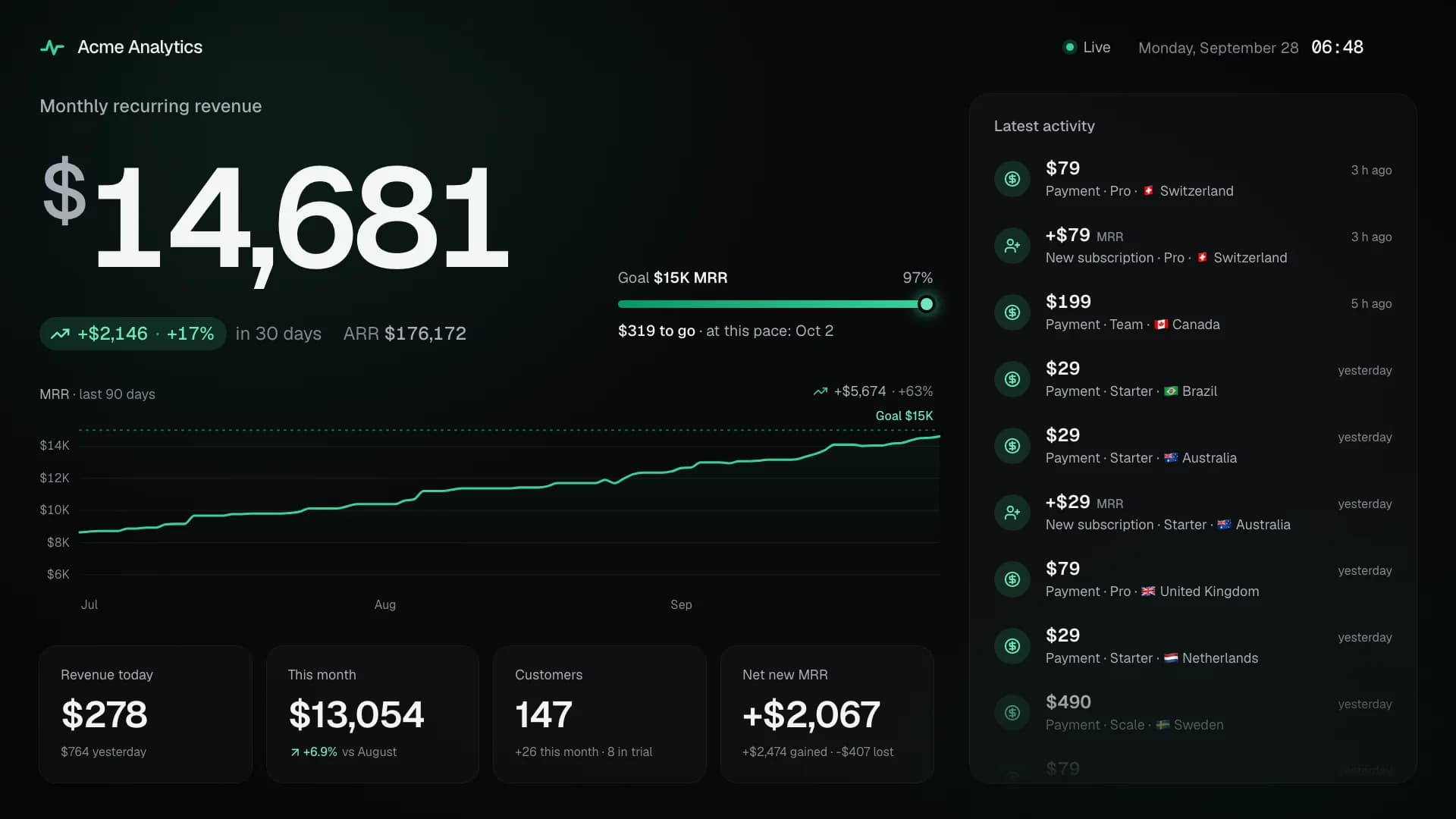
- Your MRR, or ARR, in large type, with its growth over 30 days
- The road to your next milestone or your own goal, and the day you’ll reach it at your current pace
- A chart over 30 days, 90 days, 12 months or all time
- Revenue today and this month, customers and net new MRR
- A live feed of payments, new customers, upgrades and churn
Moments and celebrations
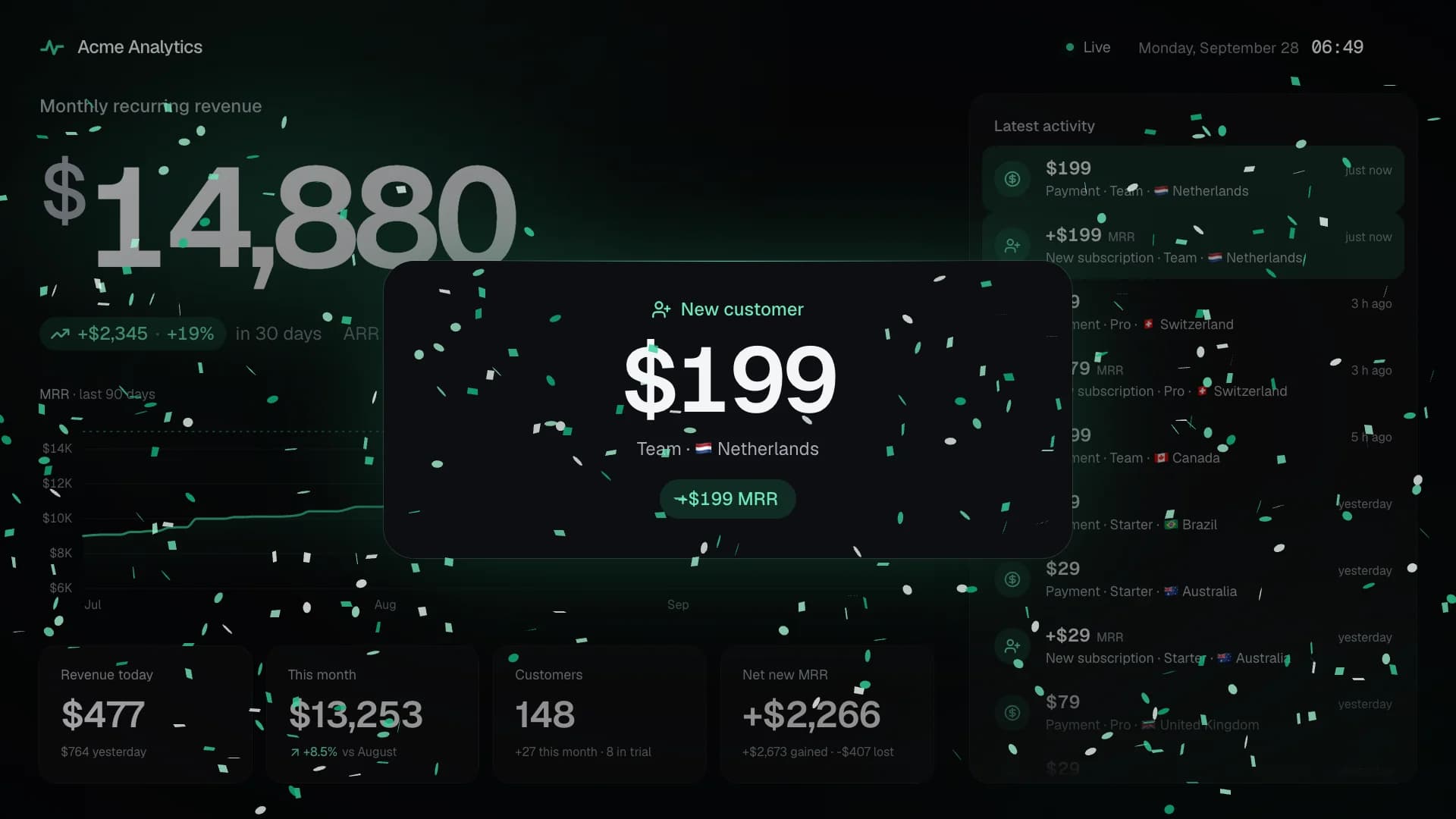
Every sale, new customer or subscription change gets a large card in the middle of the screen, with its sound, then a voice if you like. Money coming in brings confetti, and each milestone takes over the whole screen.
Cards stay 10 seconds by default. When several arrive at once, they play one after the other.
Made to run on its own
- Refreshes every few seconds, and recovers by itself after a network outage
- Keeps the display awake and hides the mouse cursor
- Shifts its content by a few pixels now and then, to protect OLED panels
- Reloads itself after an update, so it never runs an old version
Sound on a TV
Browsers keep a page silent until someone interacts with it: click the screen once, and the sound stays on until the next reload. On a Raspberry Pi, the kiosk command lets it play without a click.
See your own numbers live today
Free during the public beta. Connect Stripe with a read-only key, and your screen is ready in about two minutes.
- Free during the beta
- Free forever self-hosted
- Read-only Stripe key
Questions? Write to support@saas-monitor.com.